
SMMFollows / How to verify you're on the real SMMFollows
How to verify you're on the real SMMFollows
Four checks that take a minute.
Maintained by the SMMFollows team. Last reviewed 2026-11-01.
1. The address bar
Look at the domain, not the page design. Designs are copied in an afternoon; the domain can't be. The panel is exactly smmfollows.com. Not smmfollows.net, not smmfollows-panel.com, not smmfollows.com.something.io. If you're unsure, type smmfollows.com into the address bar yourself instead of clicking a link.
2. The lock
The real panel is served over HTTPS. A missing lock, or a certificate warning, means you're not where you think you are. (A lock alone doesn't prove a site is ours; copycats have certificates too. It's a necessary check, not a sufficient one.)
3. Where you're asked to pay
Funds are added on the Add funds page inside your account, through a payment provider's own page. We never ask you to send money to a wallet address, a bank account or a person in a chat, "to unlock" a service or "to verify" anything. Anyone doing that in our name is not us, whatever their profile says.
4. How support reaches you
Support happens in tickets inside smmfollows.com and by email from contact@smmfollows.com. We don't initiate contact on WhatsApp, Telegram or Instagram DMs, and we never ask for your password.
What the real panel looks like
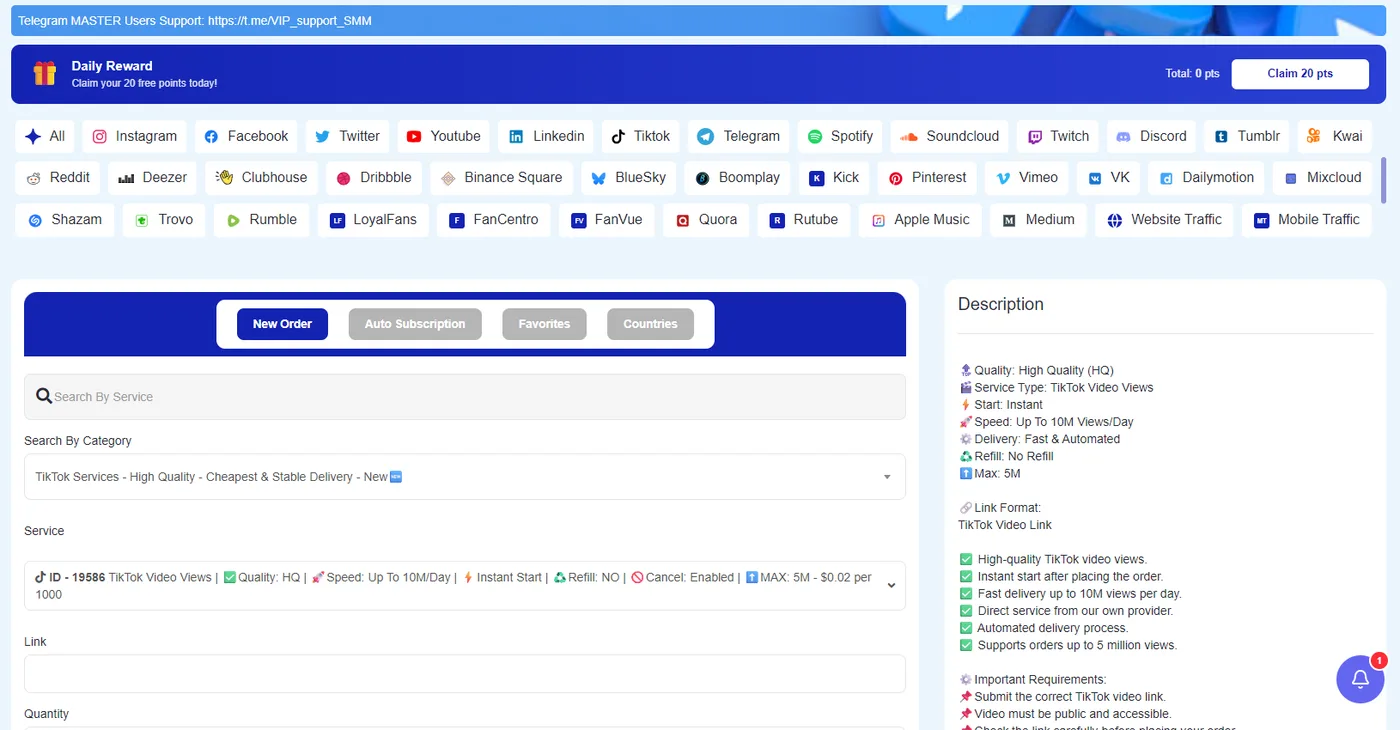
If you've only ever seen a copy, here is the inside of the actual panel, with the account details cropped out. Platform tabs along the top, the order form on the left, the service description on the right.
More screens, with explanations of each, are in the help center.
If something doesn't add up
Close the tab, open smmfollows.com by typing it, and sign in there. If you entered your password somewhere else first, change it from your account page. Then tell us the address.